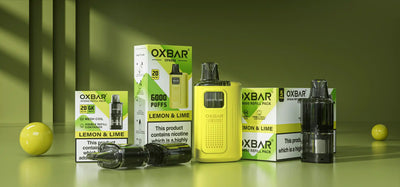
You load a new pod, draw on it, and nothing happens. The LED lights up, the device feels charged, but there is no vapour. If you have just switched from disposables to a prefilled pod kit, this is more common than the packaging suggests. Most of the time, the fix takes less than a minute.
This guide works through the seven most common causes, starting with the one nobody warns you about on the box. Each section tells you what to check, what to do, and when the fix is not worth attempting.
TL;DR
- 8 out of 10 cases come down to a silicone bung, a seating issue, or an empty pod, all fixable in under a minute.
- A pod that lights up but produces nothing has a different cause than one that does not respond at all.
- This guide covers every common cause for UK prefilled pod kits: Hayati Pro Max Plus, Lost Mary BM6000, Crystal Pro Switch 30K, and most others on the market.


Did You Remove the Silicone Bung?
Start here. On new pods, the number one cause of no vapour is a silicone bung or foil sticker still covering the base contacts. It sounds obvious, but it catches a lot of first-time pod kit users because the bung is the same colour as the plastic base and blends right in.
- Turn the pod over and look at the base. Most UK prefilled pod kits have a small silicone bung or rubber stopper plugging the bottom connector. It is easy to miss if you are not looking for it.
- Some pods use a foil sticker over the contacts instead of a rubber bung. Check for both. If either is still in place, the pod will not connect to the device. The LED may light, but nothing fires.
- Pull the bung or peel the sticker off, wipe the base with a dry cloth, and reinsert the pod until it clicks.
Hayati Pro Max Plus 6000: no silicone bung needs to be removed. Align the arrows on the pod and refill container, push firmly until they click together, then insert the assembled pod into the device.
If the pod fires now, you are done. If not, move on.
Is the Pod Seated Properly?
A pod that is not fully clicked into the device will fail to make a proper electrical connection, even after the bung is removed. The pod contacts need to be flush against the device pins for the circuit to close.
- Remove the pod from the device fully and reinsert it with firm pressure until it clicks. A loose pod breaks the connection between the pod contacts and the device pins.
- Look at the metal contacts on the base of the pod. If there is any condensation, residue, or e-liquid on them, wipe clean with a dry cotton bud before reinserting. Even a thin film of liquid on a contact acts as an insulator.
- Check the inside of the pod bay in the device for the same. Even a small amount of liquid on the contact pins can prevent a connection.
- If the pod is clicking in but still not firing, and you have already removed the bung, move to airflow.
One thing worth checking: if the device has been in a bag or pocket, the pod bay can pick up pocket lint around the pins. A dry cotton bud along the base of the bay clears this in seconds.
Is the Airflow Vent Blocked?
Draw-activated pod kits rely on airflow sensors. When you draw on the device, a pressure change triggers the sensor and activates the coil. If the vent is blocked or covered, the sensor never detects the draw and nothing fires. The LED may not even activate.
- Find the airflow intake on your device. On most prefilled pod kits it is a small slot or hole on the lower side of the device or the base.
- Make sure you are not covering it with your fingers while drawing. On narrower devices like the Lost Mary BM6000, this is easier to do accidentally. Holding the device between two fingers and keeping them away from the sides is the fix.
- If there is condensation or liquid in the vent, a dry cotton bud pressed gently into the opening will absorb it. Do not blow into the vent. That pushes liquid further into the sensor.
- Some prefilled pod kits have an adjustable airflow ring. If yours does, check it has not been accidentally closed.
Did You Prime the Pod First?
Most vapers switching from disposables have never heard of priming, and the packaging does not mention it. This is the section that gets skipped most often, and it causes the most confusion because the pod feels fine but produces nothing.
- After inserting a new pod, do not draw immediately. Set the device down and leave it upright for 60 seconds.
- Prefilled pods have a sealed coil with e-liquid already inside. The wick needs time to fully saturate before the first draw. Pull too early and you get a weak hit or nothing at all. Not a fault, just timing.
- If the device has been stored somewhere cold (a car, a cold room, a bag left outside), the e-liquid thickens and wicking slows. Wait two minutes rather than one.
The first draw after a new pod should be short, around 2-3 seconds. This wicks more liquid into the coil without creating enough heat to burn a partially dry wick.
If you have been vaping the same pod for several days and it suddenly produces nothing, priming is not the issue. Skip to Pod Empty below.
Is the Battery Flat or in Safety Cutoff?
Three different scenarios can look identical from the outside: the device feels like it should work, but nothing comes out. Here is how to tell them apart.
- Battery flat: the LED flashes rapidly and continuously when you draw, and nothing fires. Charge via USB-C for at least 20 minutes before retesting. Do not test while plugged in. Some prefilled pod kits disable output during charging as a safety measure.
- Safety cutoff from a long draw: most UK prefilled pod kits cut off automatically if you hold the draw for over 8-10 seconds continuously. The LED will flash a set number of times and the device goes silent. Release the draw, wait two seconds, and pull again normally. This is a built-in protection to prevent coil overheating, not a fault.
- Safety cutoff from a short circuit: if the device detects a faulty pod, it fires four rapid flashes and shuts down. Devices like the Crystal Pro Switch 30K with dual-tank pods are particularly sensitive to this protection. Make sure both tanks are properly sealed before inserting. Remove the pod, inspect the base for damage or moisture, clean the contacts, and reinsert. If the same pod continues to trigger four flashes across multiple attempts, the pod is faulty. Replace it rather than the device.
Is the Pod Actually Empty?
This one is the most common cause for pods that have been in use for a week or more. When a pod is empty, the device operates exactly as normal because the battery and sensor are working fine. There is just nothing left to vaporise.
- If the pod has been in use and the hit has become thin, flavourless, and produces almost no vapour, the pod is finished.
- A 6,000-puff pod at 400 puffs per day lasts roughly 15 days. At 600 puffs per day, closer to 10 days. If you are getting under 7 days on a 6,000-puff pod, you are likely chain vaping or taking longer draws than the puff count assumes.
- When a pod is empty, the LED responds normally. The device is working. There is nothing left to vaporise.
- If the pod is less than three days old and already empty-feeling, check whether you have been using the device heavily or sharing it. Puff counts are based on individual 1-2 second draws, not sustained pulls.
The e-liquid in a prefilled pod is not visible through the casing on most devices. There is no fuel gauge. The only signal is flavour quality. When it starts going thin and flat, the pod is near the end.
When to Contact the Retailer
If you have worked through every step above and the device still does not fire, it is likely a manufacturing fault rather than something fixable at home.
- A device that is less than seven days old and has never worked correctly is a faulty unit. Return it.
- If the LED does not activate at all after a full charge, there is an internal fault. This is not a contact or pod issue.
- VapeOffers accepts returns on faulty devices. Check the site returns policy for current terms and timelines.
The golden rule: if a device has worked at some point and then stopped, the fix is usually in this guide. If it has never worked from the box, it is a fault.
One thing that helps when contacting support: note which steps you have already tried. A retailer can process a return faster if you can confirm the bung was removed, the pod was reseated, the battery was fully charged, and the device still did not fire. That rules out user error and confirms a hardware fault.
Conclusion
Most of the time, a prefilled pod that is not hitting has a silicone bung on the base, a pod that needs a firmer seat, or a coil that needed 60 seconds to prime before the first draw. Work through the list in order, and the fix is usually in the first three steps.
If you have gone through all of it and the device is still not working, that is a sign to move on rather than troubleshoot further. Browse the full prefilled pod kits collection. There are options from Hayati, Lost Mary, and Crystal across every puff count.
Frequently Asked Questions
Why is my prefilled pod lighting up but not hitting?
The most common cause is a silicone bung or base sticker still attached to the pod base, blocking the electrical connection. Remove it, reinsert the pod, and test. If the LED lights but nothing comes out, check the airflow vent is not covered or blocked.
How do I know if my prefilled pod is empty?
The device will light normally but produce little or no vapour, and there will be no flavour at all. A 6,000-puff pod at moderate use (400-600 puffs per day) typically lasts 10-15 days.
Why is my vape pod not firing at all?
If the LED does not activate when you draw, charge the device fully first. If fully charged and still no response, check the pod contacts for condensation. Clean with a dry cotton bud and reinsert firmly.
What does it mean when my vape flashes and stops hitting?
A safety cutoff. Most prefilled pod kits cut output if you draw continuously for more than 8-10 seconds. Release and draw again normally. Multiple rapid flashes with no vapour usually means a flat battery.
How long should a prefilled pod kit last before I need to replace the pod?
A 6,000-puff pod like the Hayati Pro Max Plus 6000 or Lost Mary BM6000 lasts 10-15 days at 400-600 puffs per day. High-capacity kits like the Crystal Pro Switch 30K at 30,000 puffs last considerably longer on the same usage level.